Xeneon Edge HUD
A glanceable dashboard on a 2560x720 touch panel, driven by a Raspberry Pi in kiosk mode.
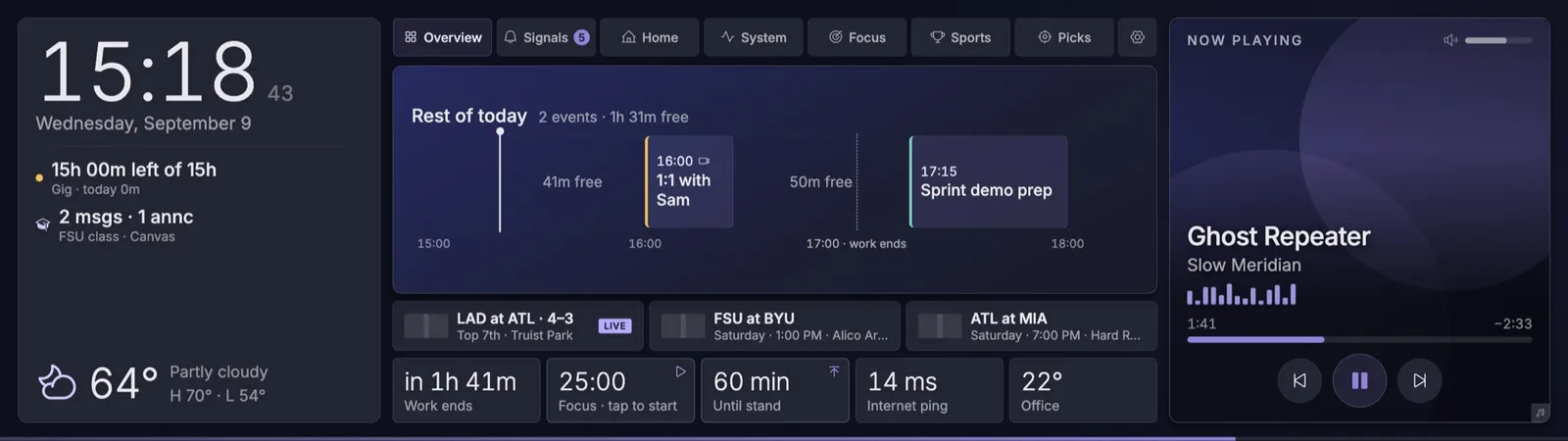
Two zones never move: a spine with the clock, next meeting, weather, and rain, and the now-playing strip. The middle swaps between seven views. It sits below the main monitor and is meant to be read, not touched.
The thing that decides whether any of it works is scale. The panel is 2560x720 across 14.5 inches, about 183 PPI against a desktop monitor’s 110. At 1:1 a 17px label is 2.3mm tall and you can’t read it from a chair. Everything is authored for a 1.7x device scale factor, which gives a 1506x424 CSS viewport and matches the apparent size of a normal monitor. The panel also sits below and to the left of the main display, so the layout is weighted to the right edge, where the eye lands first.
A mock data source always starts first and every real adapter layers on top of it. A service being down changes what the HUD shows, never whether it shows anything. Unconfigured services return an empty but valid shape instead of an error the UI has to handle. There’s a test suite over the layout maths, the hooks, and the control clients.
Deploys are a git-poll timer on the Pi, a deploy script, and a sudoers rule. Pushing to the repo is the whole deploy.
The screens below were captured from the running app at the same 1.7x factor the kiosk uses.
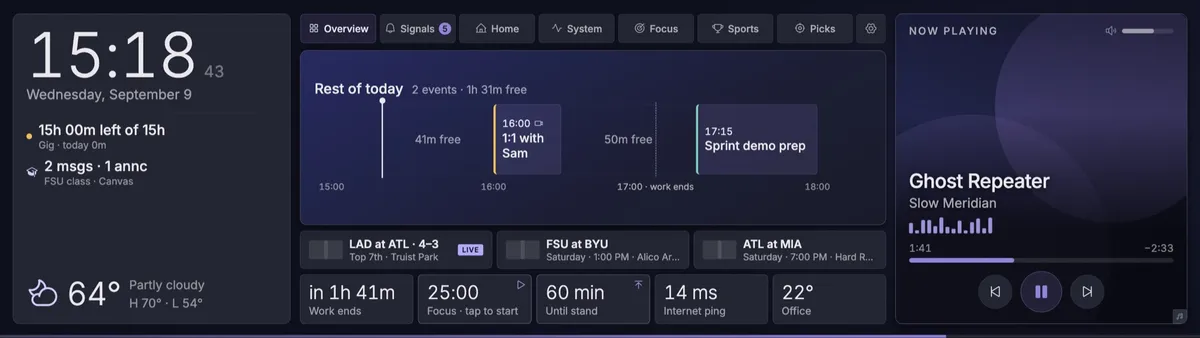
Overview. The spine answers what is next; the middle answers what the rest of today looks like, with the gaps between events named as free time instead of left blank.
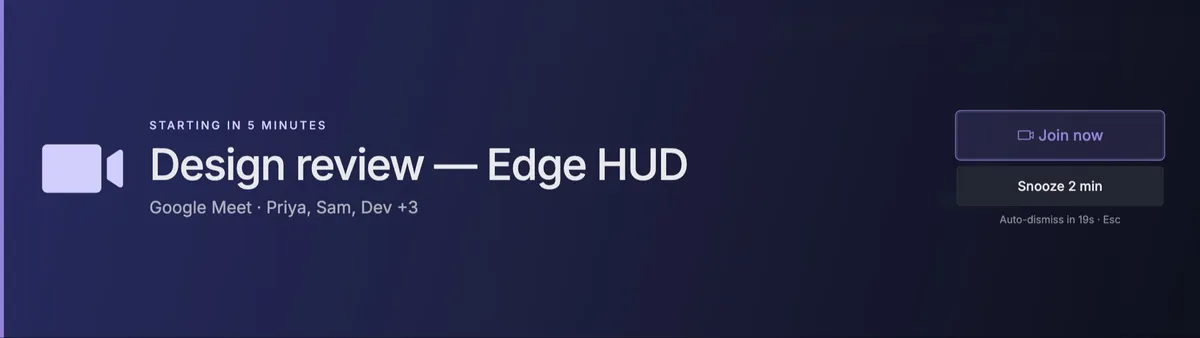
The one thing the panel is allowed to interrupt for. Raised two minutes before a video call, on a visible auto-dismiss, with everything underneath marked inert so a stray tap cannot land on a hidden control.
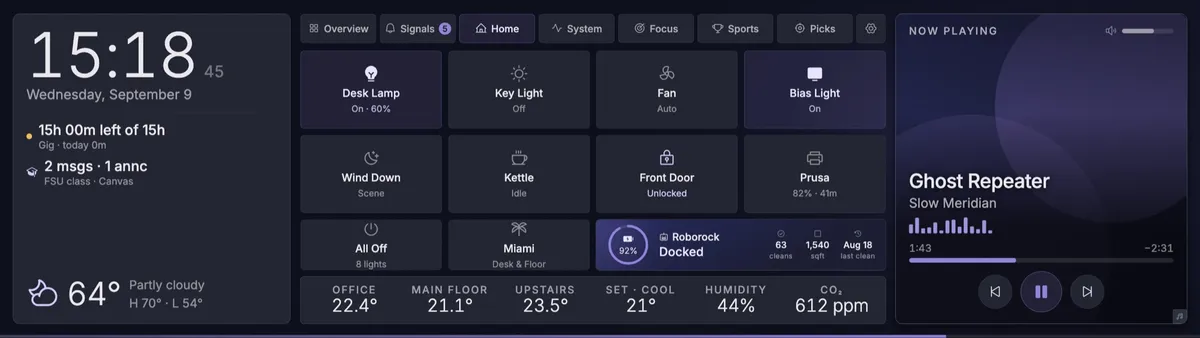
Home. Every tile prints its own state, so nothing has to be tapped to find out what it is doing. Anything with a consequence asks for a second tap.
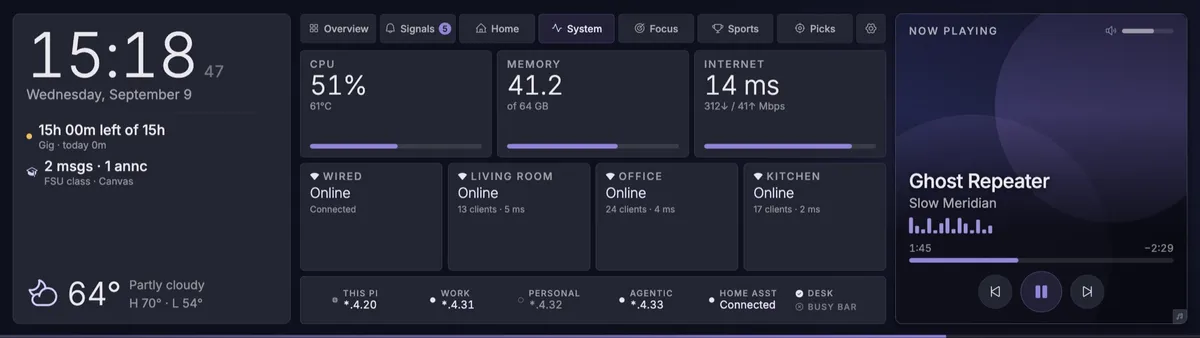
System. Mesh nodes carry their own client counts and latency, and each machine is labelled with the address the router reports rather than a guess from config.
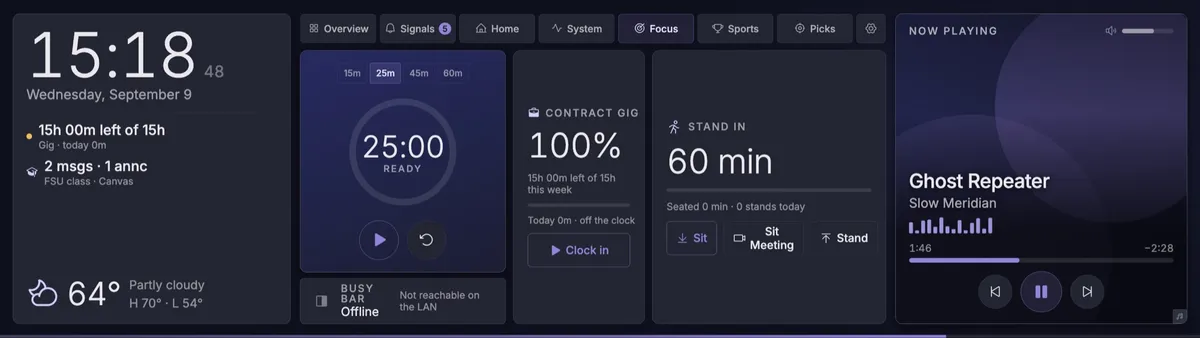
Focus. A session timer, hours against the week's contract commitment, and a standing timer wired to the desk itself. Sit Meeting is its own button because a meeting height is not a working height.
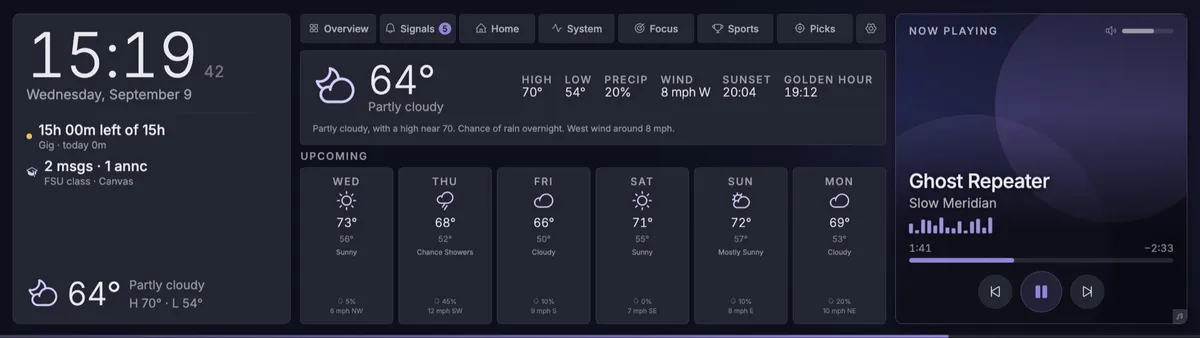
Weather, two taps deep from the spine. After 90 seconds without input the panel returns to Overview on its own, so it never sits on a stale screen.
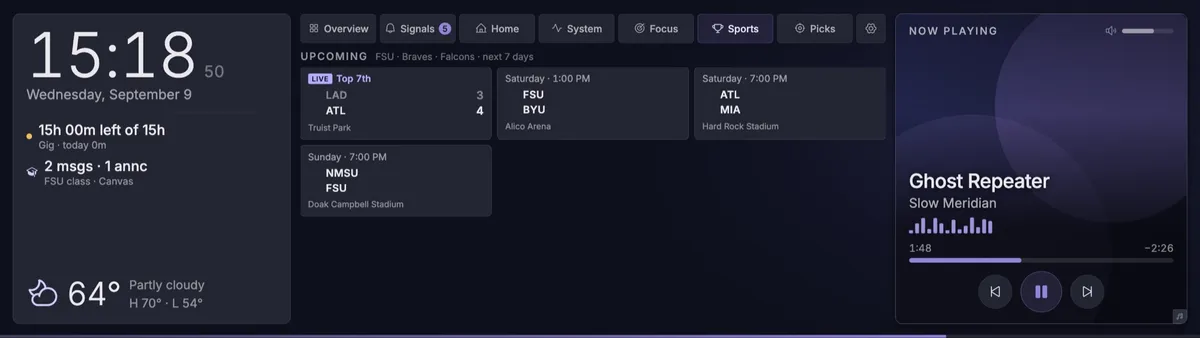
Sports. A live game carries the inning and the score; everything else carries the day, the time and the venue.
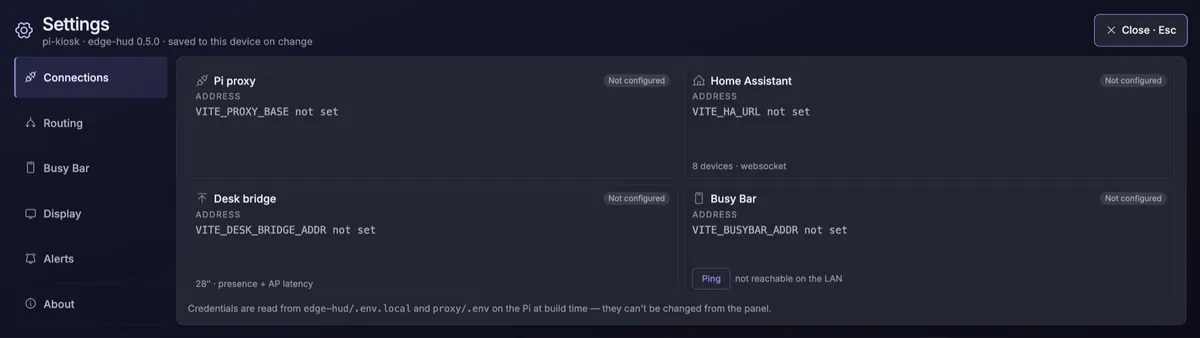
Settings. Each connection names its environment variable and whether it is set, and says plainly that credentials are read on the Pi at build time rather than typed into a kiosk.